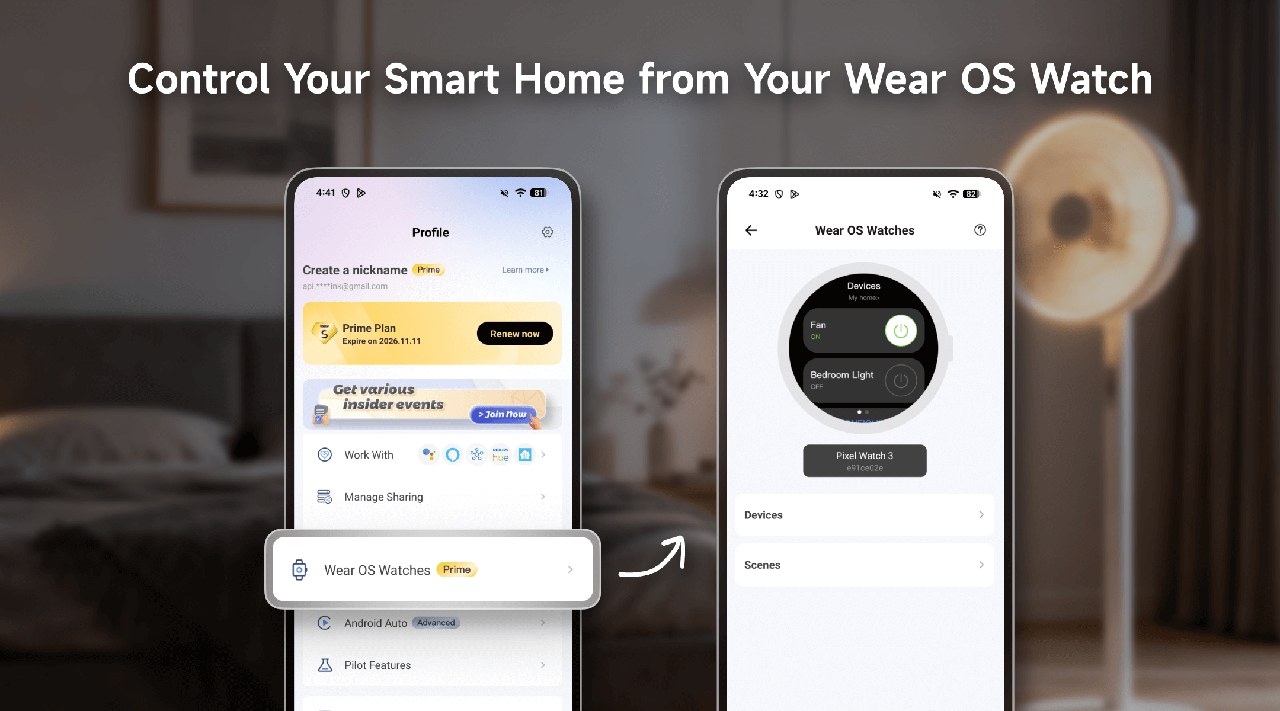
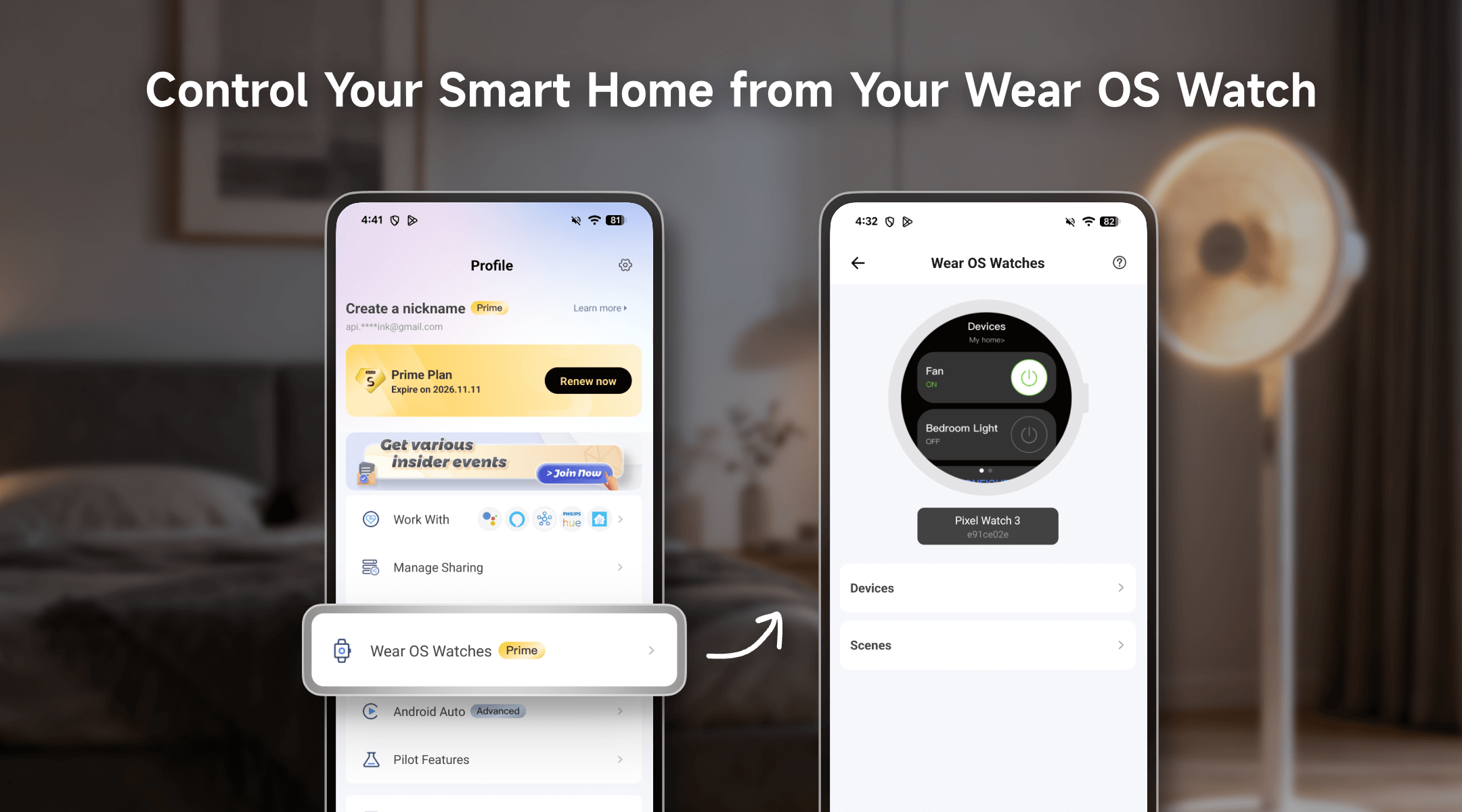
With eWeLink on Wear OS, you can operate supported smart home devices and launch manual scenes from your wrist. After setup, you can use the watch controls without reaching for your phone.
Compatibility requirements
- Phone: Android 15 or later.
- Watch: Wear OS 5.1.0 or above.
- Phone app: eWeLink app version 5.21 or above.
For non-Pixel Android phones: Install the Google Pixel Watch app from the Google Play Store and pair your watch with your phone before setting up eWeLink.
Set up eWeLink on your watch
- Update the phone app. Install or update to eWeLink app version 5.21 or above, then open eWeLink App > Profile > Wear OS Watches.
- Install the watch app. Selecting Wear OS Watches displays “Please install the eWeLink app on watch first.” Tap Install now and follow the installation instructions on your Wear OS watch. Your eWeLink account syncs to the watch automatically once installation finishes.
- Select devices and scenes. Return to eWeLink App > Profile > Wear OS Watches on your phone. Choose the devices and manual scenes you want available on the watch.
What you can do from your wrist
- Operate devices: Turn a hallway light on, toggle a heater, or switch a smart plug off directly from the watch face.
- Run manual scenes: Launch preset routines such as “Movie Time,” “Good Morning,” or “Leave Home” with a tap.
- Check current status: Device changes sync in real time, keeping the watch display aligned with the state of your home.
For example, while reading in bed, you could tap a configured “Good Night” scene to dim the living room lights, turn off the bedroom lamp, and cut power to the TV through smart plugs.
Supported devices
The Wear OS feature supports a broad selection of eWeLink-compatible devices, including those shown below.
Device Type | Eligible Device Models (Examples) |
Single-Channel Plug | SONOFF BASIC_R3 SONOFF MINI SONOFF RF_R2 SONOFF S20R1 SONOFF S26 SONOFF S31 Lite SONOFF S55R1 SONOFF S30 AIB-xU1 CKCP-001 |
Single-Channel Plug_Support 2.4G eWeLink-Remote | SONOFF BASICR4 SONOFF MINIR3 SONOFF MINIR4 SONOFF S40 lite CK-BL602-4SW-AY |
DIY Smart Switch | SONOFF Basic SONOFF RF SONOFF SV |
Single-Channel Switch | SONOFF RF R2 SONOFF T1 1C SONOFF Touch SONOFF TX1C |
Dual-Channel Switch | SONOFF T1 2C SONOFF TX2C |
Three-Channel Switch | SONOFF T1 3C SONOFF TX3C |
Dual-Channel Plug | SONOFF DUALR2 |
Four-Channel Plug | SONOFF 4CH |
Power detection Plug | SONOFF IW100_US SONOFF IW101_US SONOFF Pow R2 SONOFF POWR3 SONOFF S31 PSA-X67-GL |
Temp & Humi Monitoring Smart Switch | SONOFF S22_CN SONOFF TH10 SONOFF TH16 PSA-BHA-GL |
Multi-Functional Dual-Channel Power Detection Switch | SONOFF DUALR3 |
Power Monitoring Plug Overload Alert – Multi-Channel Protocols | SONOFF S40 SONOFF S40TPA SONOFF S40TPB |
(POWCT)POWR3 – with LCD Screen | SONOFF POWCT SONOFF POWR316 SONOFF POWR320D SONOFF S60TPF SONOFF S60TPG |
Temperature & Humidity Monitoring Switch_Support with History Feature | SONOFF TH16R3 SONOFF THR316 SONOFF THR320 SN-ESP32D0-THR3-01 |
Single-Channel Plug-Multi-channel version | SONOFF Micro |
RGBCW LED Bulb Light, with 2.4G eWeLink-Remote | SONOFF B05-BL CK-BL602-5PWM-01 |

