What you need
- Download the Amazon Alexa App from the Google Play Store or the App Store.
- Add the Tapo Skill to Alexa and link it to the appropriate Tapo account.
Set up a routine
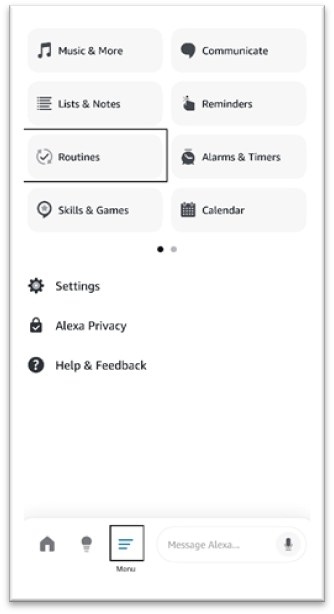
- Open the Alexa app, tap “Menu,” and select Routines to open the routine settings.
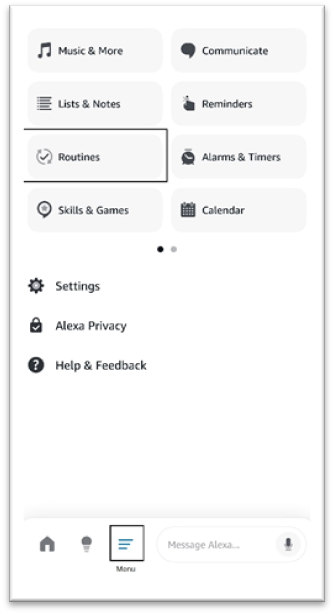
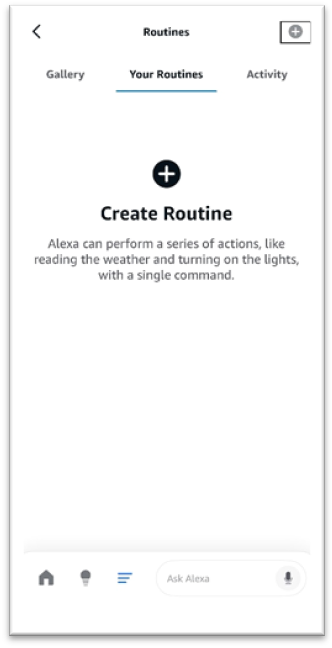
- Tap the "plus" button to add a routine.
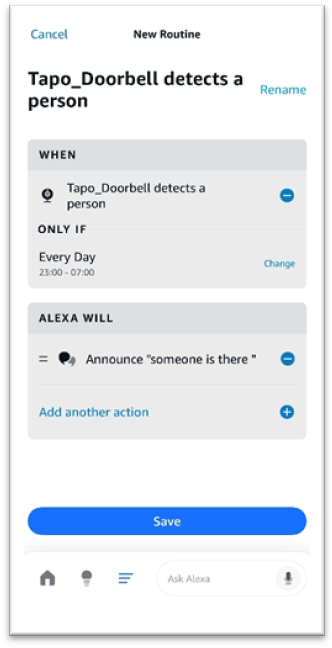
- Choose the trigger conditions and actions you want. The example below shows Alexa devices announcing a custom notification at night.
Troubleshooting
Why is my routine not working?
First, check that you selected the intended trigger device, time, and other conditions. Then make sure the device can activate that trigger. For a “person detected” trigger, for example, Person Detection must be enabled in the Tapo app.
What if a trigger, action, device, or condition is missing?
Check whether the device appears in Alexa’s device list. If it is absent, unbind it in the Tapo app, bind it again, and then refresh the Alexa device list.
For more information about your product’s functions and configuration, download its manual from the Download Center.

