Two Matter roles in one hub
Matter enables smart home devices from different brands to work together. A Matter Controller discovers, pairs and controls Matter-certified devices; a Matter Bridge brings non-Matter products into Matter ecosystems.
Tapo H500 supports both functions. As a controller, it adds supported Matter-certified products to Tapo. As a bridge, it exposes supported non-Matter Tapo devices to third-party ecosystems, including Alexa, Google Home, Apple Home and SmartThings.
Install the latest firmware before using either function. Controller and bridge capabilities continue to receive updates, and actual operation depends on firmware and device compatibility.
Adding third-party Matter devices to Tapo
The Tapo H500 currently supports third-party Matter smart plugs and smart bulbs only. It does not support Thread and therefore cannot directly add Matter devices that require Thread.
Through the Tapo app, third-party Matter devices can be commissioned using on-network discovery or Bluetooth LE. The procedure below demonstrates Bluetooth LE pairing; on-network discovery may follow a different process.
Pairing procedure
First, put the Matter device into pairing mode. Check its user manual to confirm the pairing status.
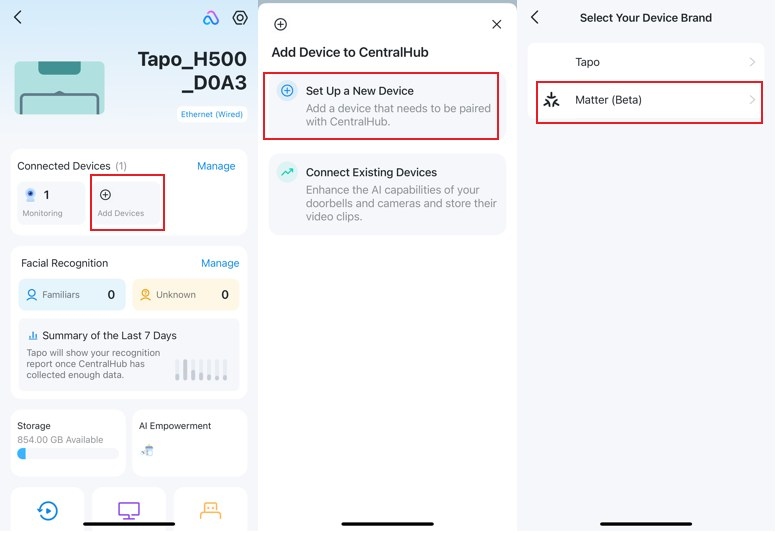
- Open your CentralHub in the app, then select Add Devices > Set Up a New Device > Matter (Beta).
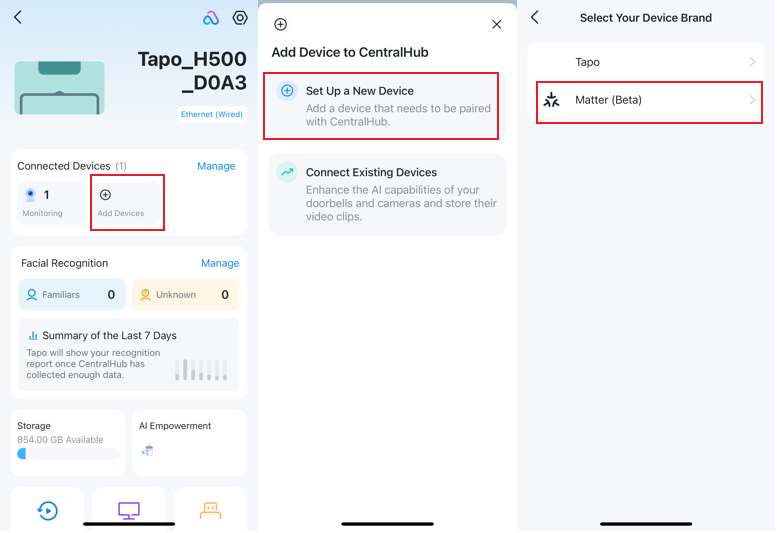
- Select Scan QR Code and scan the accessory’s Matter Setup Code. Alternatively, select Enter Setup Code Manually and type the Matter Setup Code printed on the device.
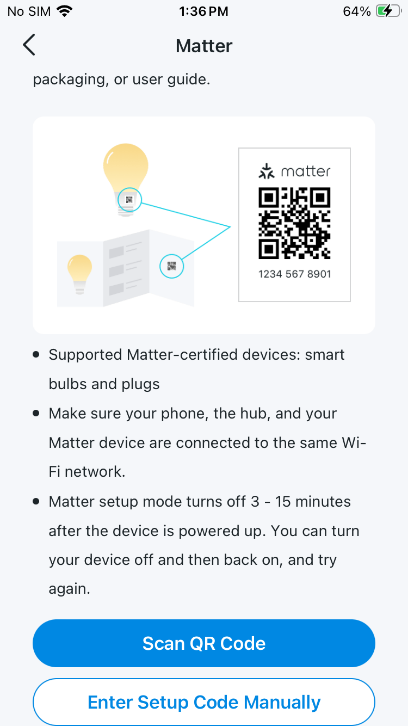
- Provide your Wi-Fi network name and password.
- When Tapo discovers nearby Matter devices, select Add to Tapo.
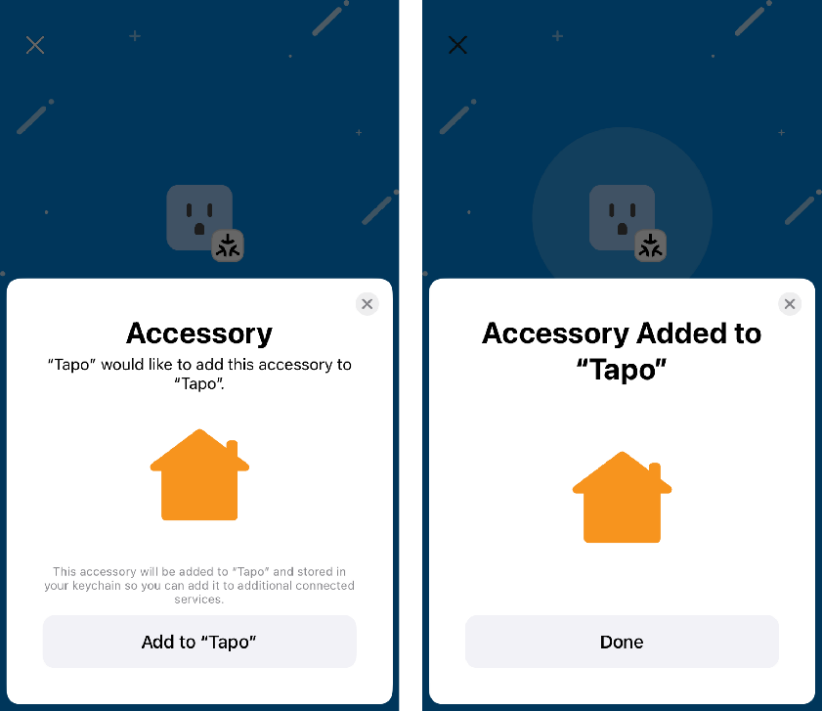
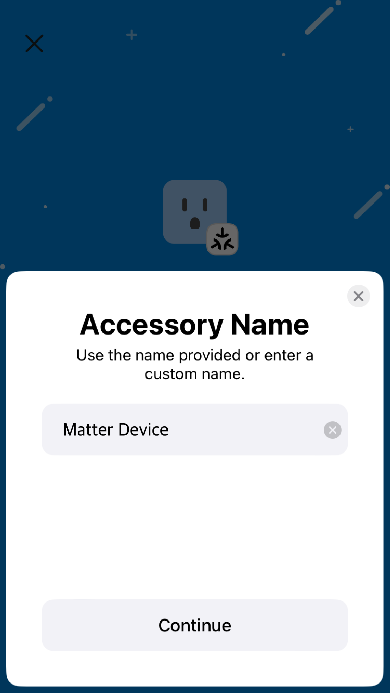
- Give the device a name. It is then ready for control in the Tapo app.
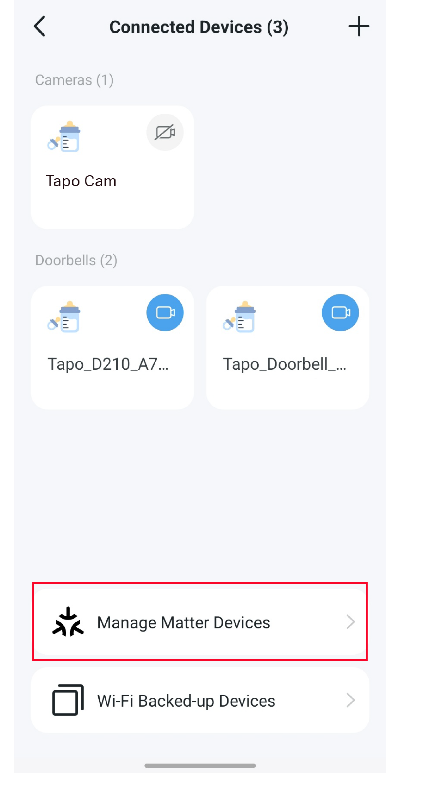
Note: Third-party products appear in the ‘Matter Devices’ list. Tapo Matter devices added through the Tapo app do not appear in the Tapo H500 CentralHub’s ‘Matter Devices’ list, but remain visible on the app’s main dashboard.
Bridging Tapo devices to another ecosystem
The H500’s Matter Bridge can expose connected non-Matter Tapo sub-1G devices, including T100, T310, T315 and S220, to third-party Matter ecosystems. Compatible device coverage will continue to expand.
You need a third-party Matter Controller for this integration; consult the relevant ecosystem’s website for compatible controllers. Because the Tapo H500 itself does not support Bluetooth, adding the hub to a third-party ecosystem requires on-network discovery.
For the integration procedure, consult “How to set up a Matter device with Alexa, Google, Apple, or SmartThings.” General compatibility information is covered in “Matter Q&As for Tapo/Kasa Hubs,” while “how to fix Matter device pairing failures in the Tapo app” addresses pairing problems.
If a non-Matter Tapo camera cannot be bridged
Check the following points in order:
- Verify the H500 firmware. Version 1.3.28 or later is required to bridge supported non-Matter cameras to third-party Matter controllers.
- Check the camera’s storage destination. Set it to Tapo H500 under Tapo App > Camera Device Settings > Storage & Recording > Local Storage > Storage Location.
- Update the camera firmware. Install the latest version. If pairing still fails, the camera model may not yet be supported. Tapo states that support will expand gradually, with all camera models expected to be supported by Q1 2027.
- Check camera exclusions. Matter-certified and dual-lens cameras are not supported through the H500 Matter Bridge. Cameras with native Matter support should connect directly to the third-party Matter controller. Dual-lens models are excluded to avoid potential control conflicts.

